Run your inspection company from one place.
Scheduling, field inspections, reports, payments, portals and the everyday operations that keep your inspection company moving.
No credit card required.
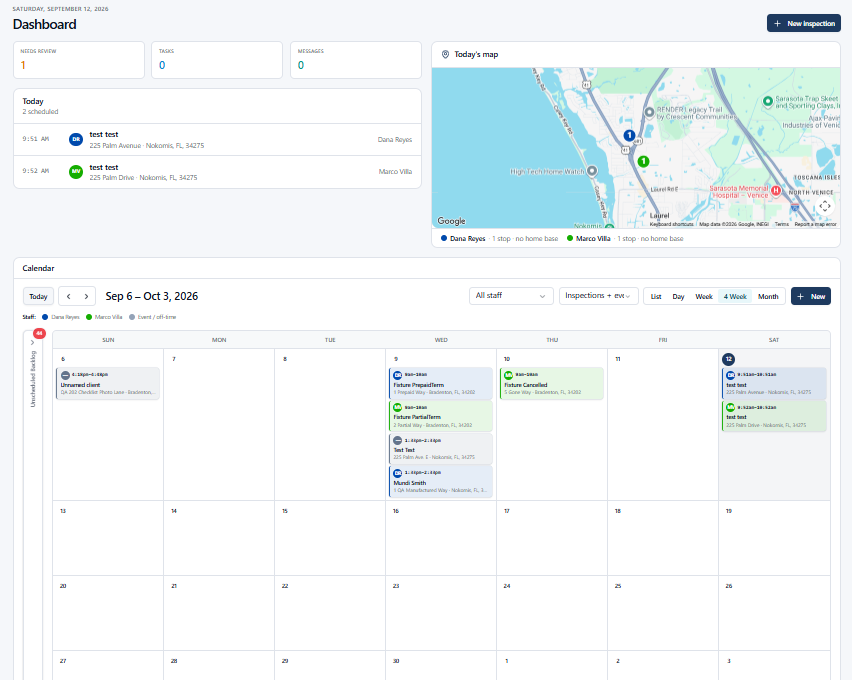
One connected inspection lifecycle
SquareOps connects the inspection workflow from the first booking to the final payment — instead of making you run the business through disconnected tools.
- 1
Schedule it.
Book the inspection and assign an inspector.
- 2
Inspect it.
Inspectors complete the work in the field.
- 3
Review it.
The office reviews and finalizes the report.
- 4
Deliver it.
Reports reach clients and agents.
- 5
Get paid.
Invoice, collect and track the payment.
More than inspection software.
SquareOps was built around the way inspection companies actually operate—not just the inspection report.
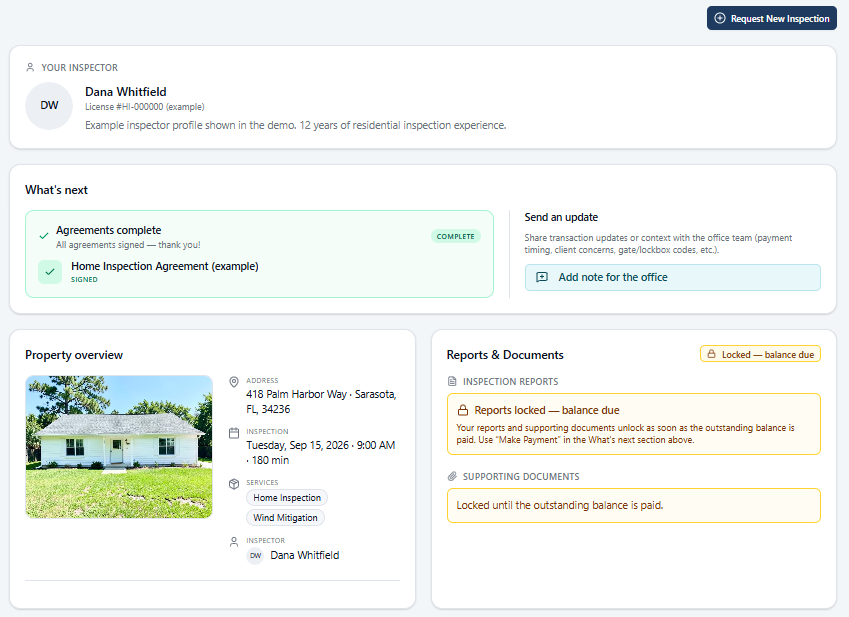
Give your agents a reason to come back.
Give agents one place for their inspections, reports and quick access to schedule their next inspection. The SquareOps Agent Portal can be added to their home screen for easy access whenever they need it.
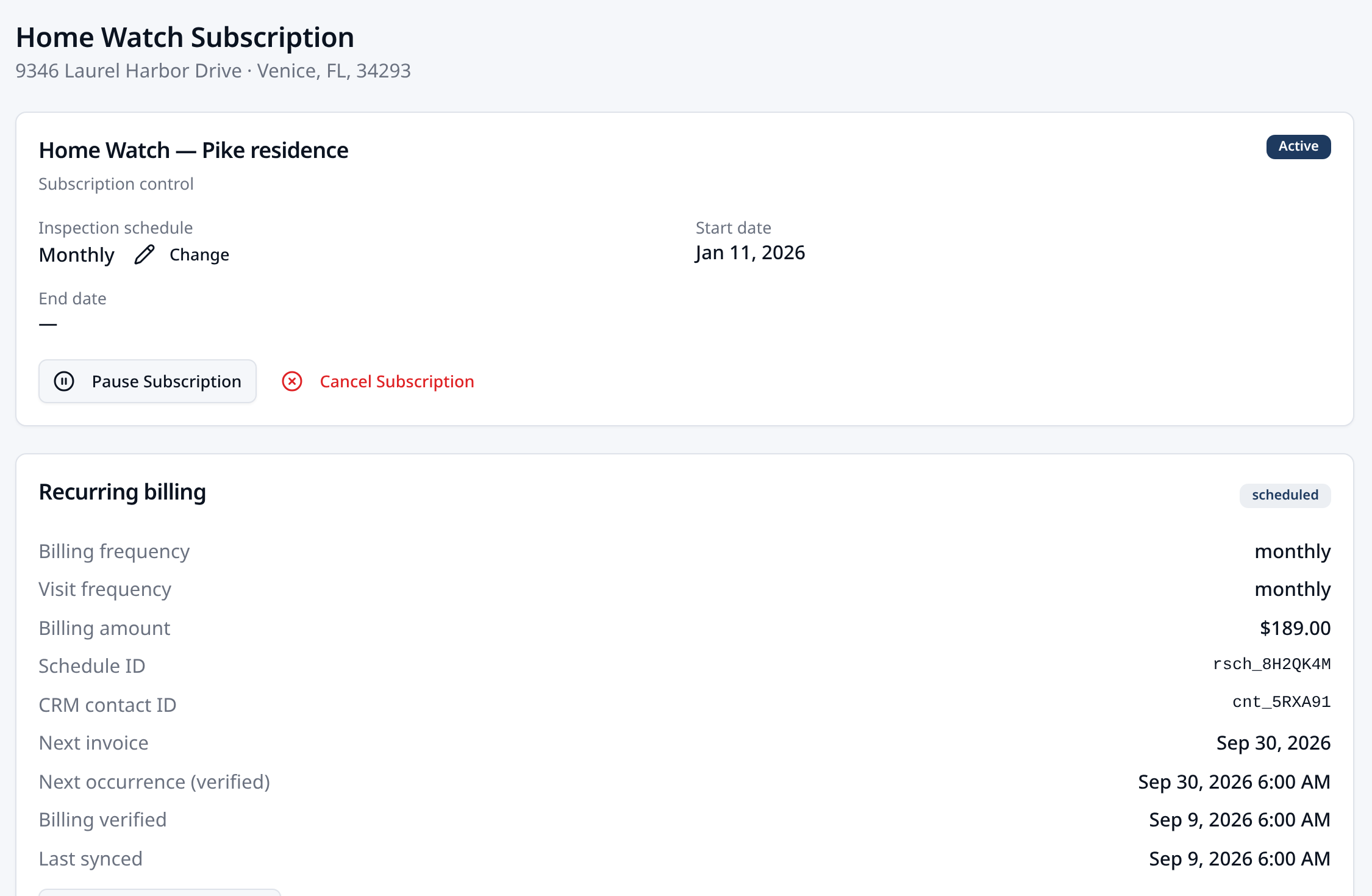
Recurring work belongs in the same system.
Run recurring services such as Home Watch alongside your regular inspection business. Manage ongoing visits, scheduling and client access without maintaining a separate operation.
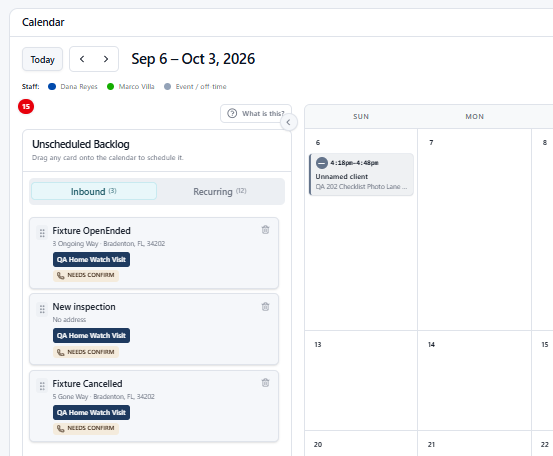
Not everything starts on the calendar.
Capture incoming work before every detail is known. Keep it in the Unscheduled Backlog, then schedule and assign it when the date, inspector or remaining information is ready.
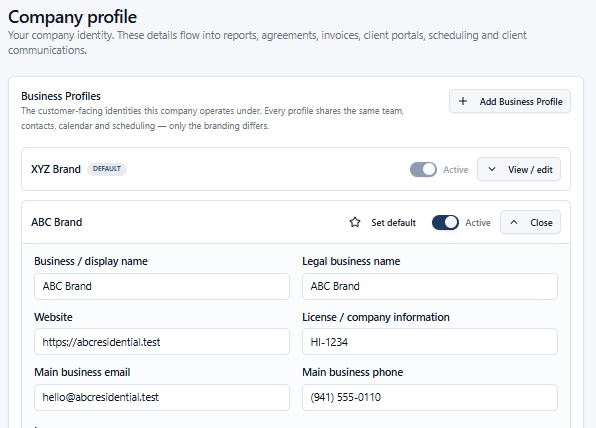
One operation. More than one brand.
Run different service brands from the same operation while presenting the right business identity to the customer. Use separate customer-facing branding for businesses such as residential inspections, commercial inspections, pest services or other service lines while keeping the operation together behind the scenes.
And that's just part of the operation.
Explore scheduling, field inspections, reports, portals, payments, communications, team operations and everything else inside SquareOps.
Your first 5 inspections are on us.
Set up your company, schedule real inspections and see how SquareOps fits your workflow before you commit.
Start My 5 Free Inspections- No credit card
- Real inspections, not a demo
- Decide after 5 inspections