From the first call to the final report.
SquareOps connects the office, the field and the client experience in one continuous inspection workflow.
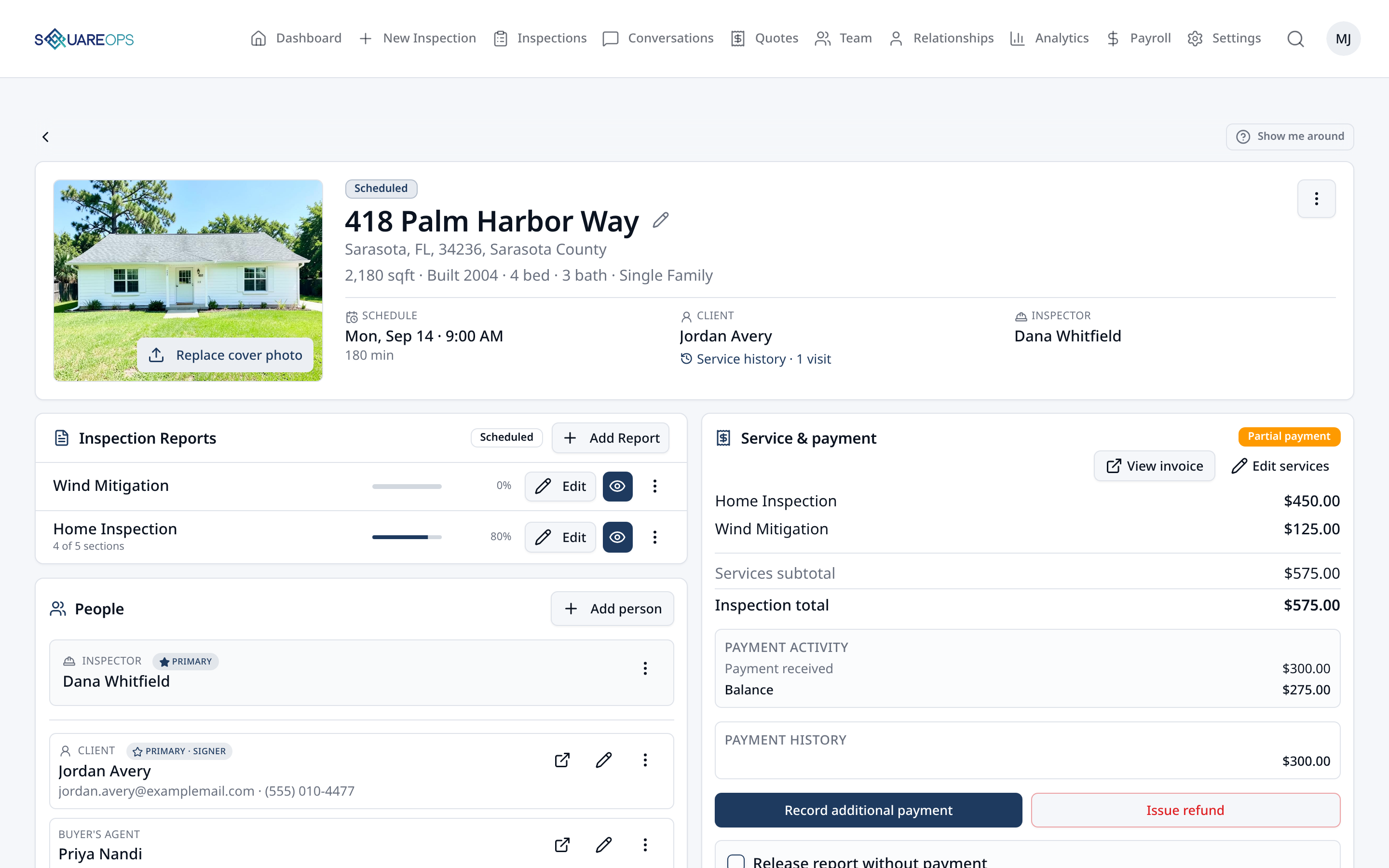
The inspection workflow
One inspection moves through a lot of hands. SquareOps keeps the information and the work moving with it.
- 1Schedule
- 2Inspect
- 3Review
- 4Deliver
- 5Get Paid
1 · Schedule & Dispatch
Keep the office moving.
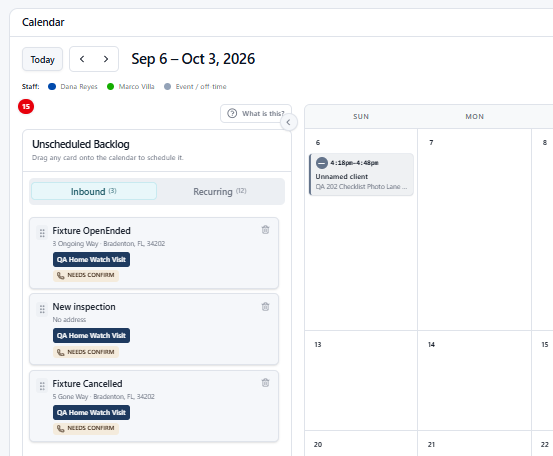
SquareOps helps the office capture, schedule and coordinate inspection work from one place — including the work that doesn't arrive neatly attached to a calendar slot.
- Calendar and scheduling
- Inspector assignments
- Inspector availability
- Service-based scheduling
- Online scheduling
- Unscheduled Backlog
- Recurring work
- Quotes and unscheduled inspections
2 · Inspect in the Field
Give inspectors what they need — and leave the office work at the office.
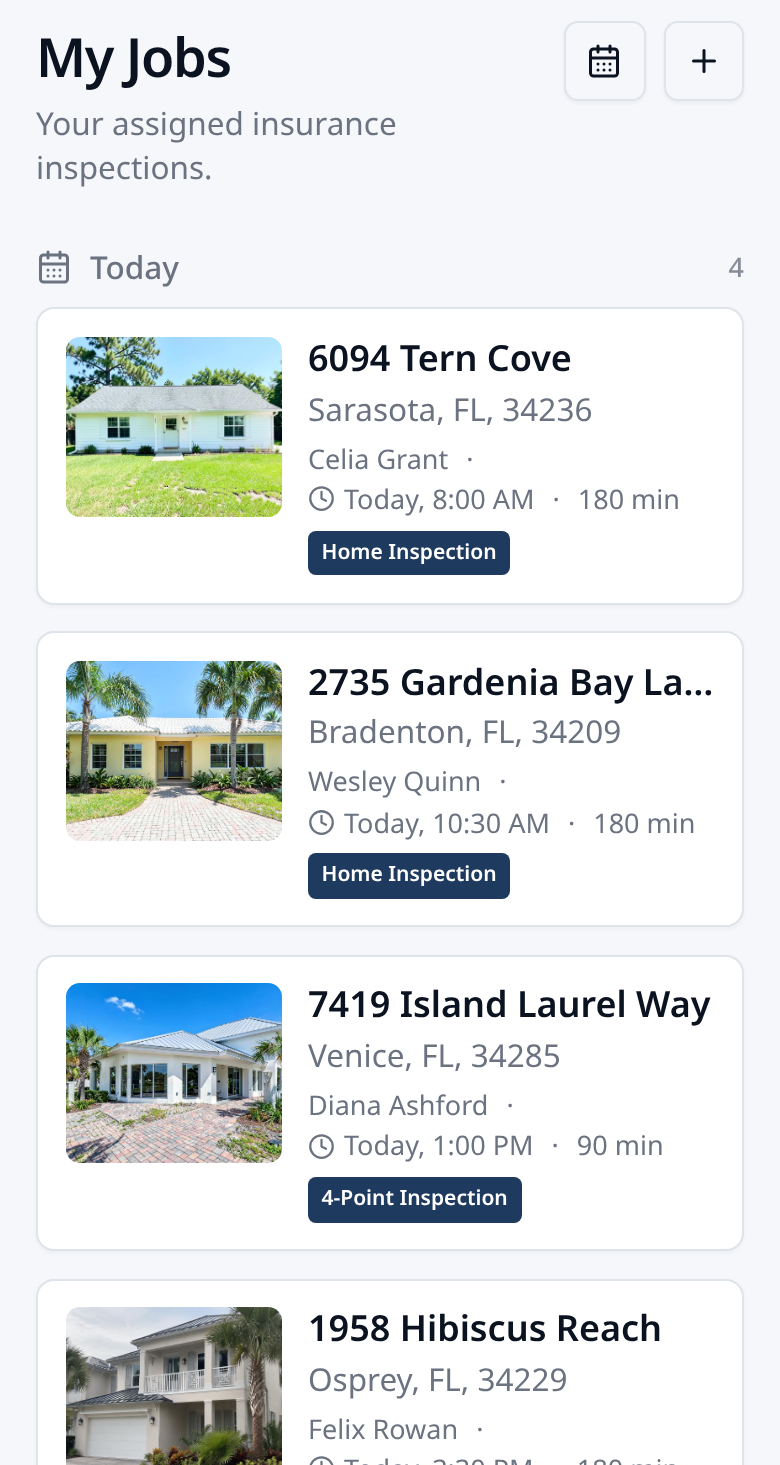
The field experience is focused on completing the inspection. Inspectors get the job, the information and the tools to capture the work without being exposed to unnecessary administrative controls.
- Mobile job list
- Property and client information
- Assigned services
- Inspection forms
- Photos and media
- Report writing
- Inspection progress
- Payment information where appropriate
- Submission for office review
3 · Review & Deliver
The inspection doesn't have to leave your control when the inspector is done.
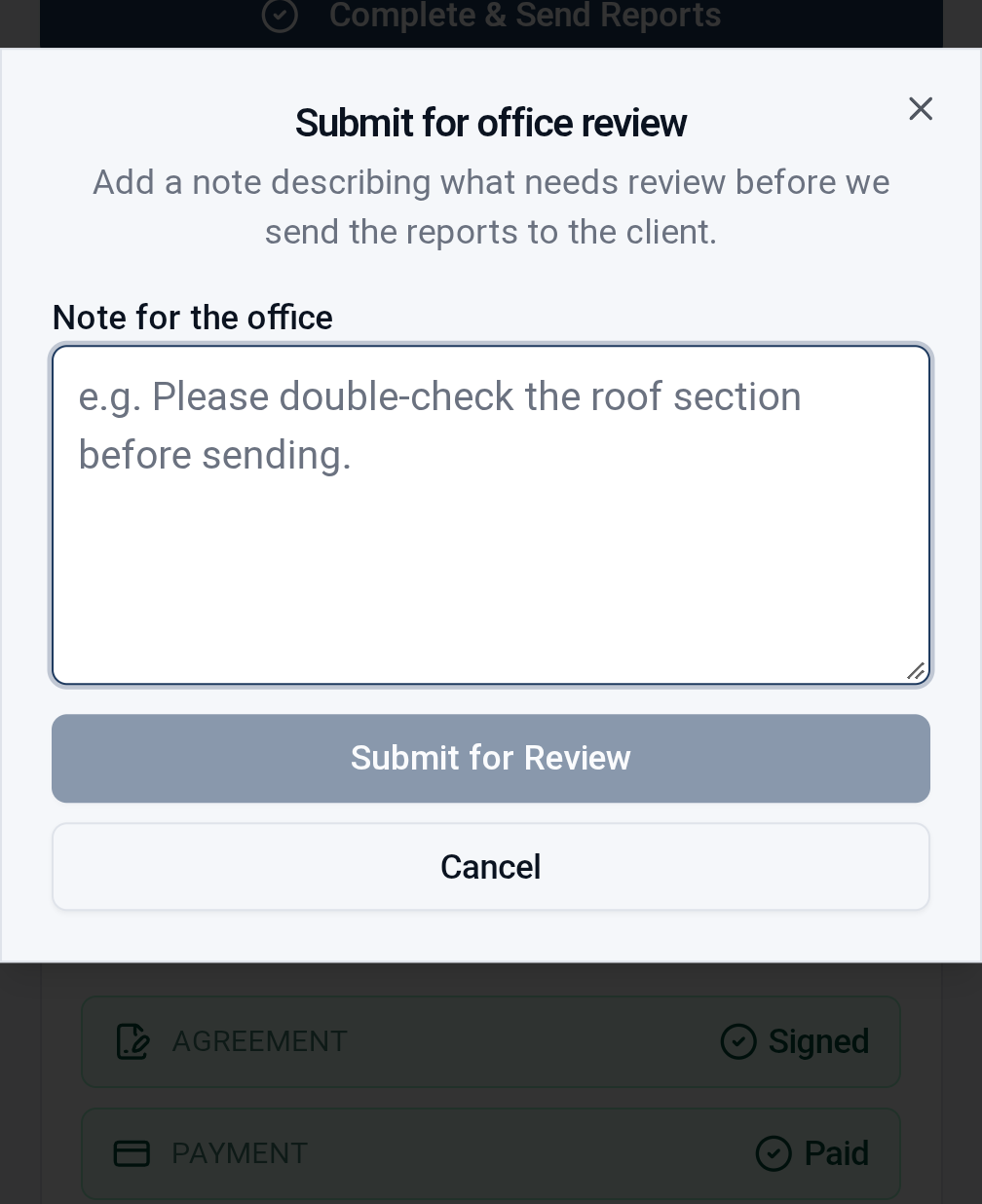
Companies can choose the workflow that fits them — inspector completion or office review before release. Either way, the office stays in control of how and when reports reach the client.
- Submit for office review
- Review completed field work
- Return work to the inspector when changes are needed
- Control individual report releases
- Deliver completed reports
- Maintain inspection history and documentation
4 · Clients & Agents
A better experience after the inspection is scheduled.
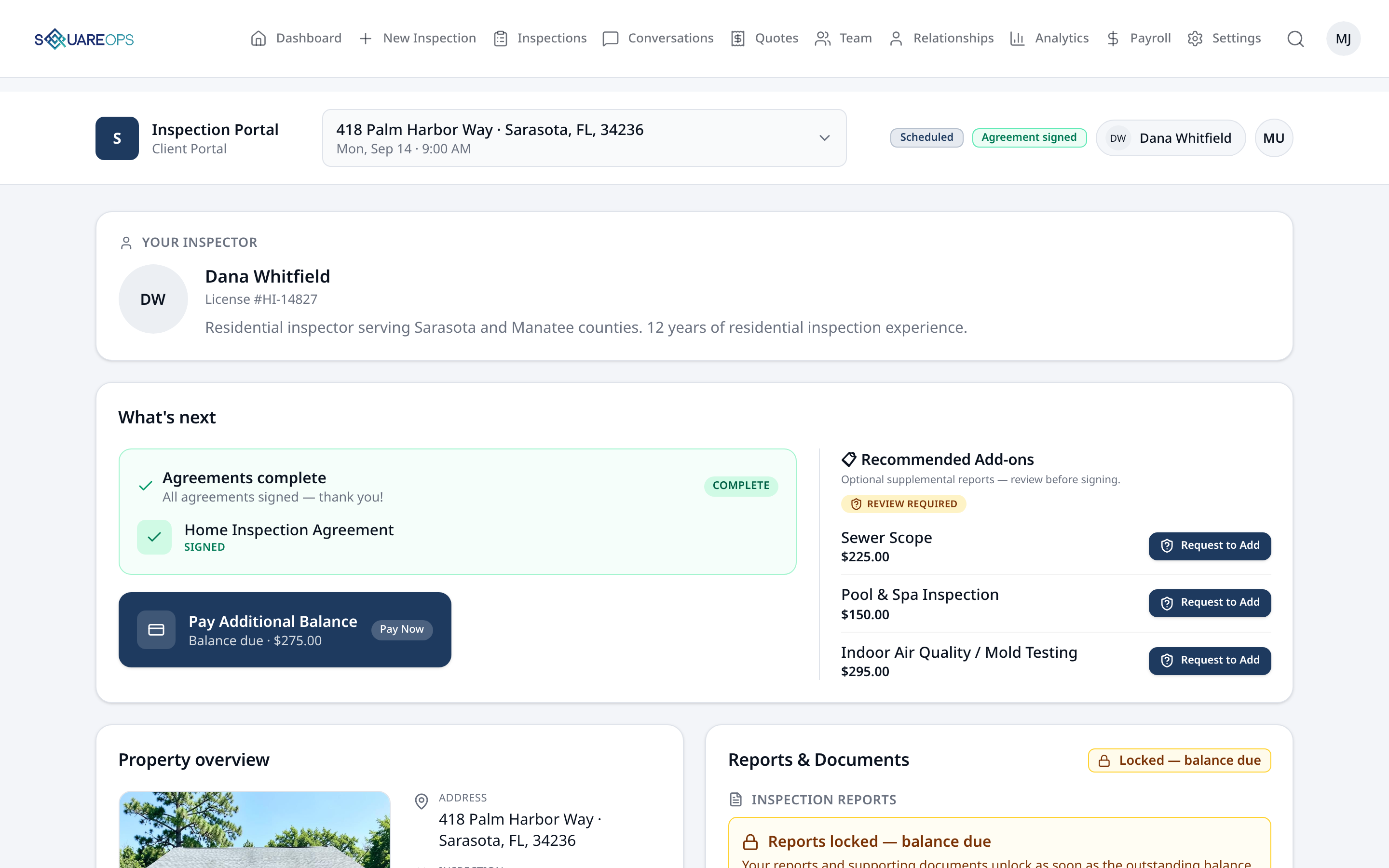
Clients get access to the information that's appropriate to them. Agents get an ongoing place to keep working with you — not just a link tied to one inspection.
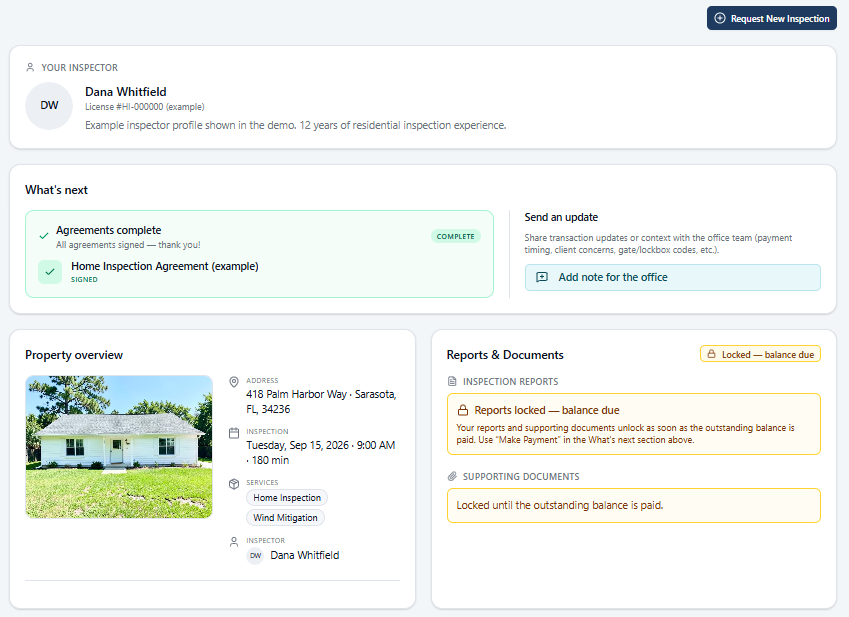
- Agreements
- Payments
- Inspection status
- Reports and documents
- Relevant inspection information
Agent Portal
One place for your agents to keep working with you.
Agents can access their inspections and reports and quickly schedule another inspection. The Agent Portal can be added to the agent's home screen for quick access whenever they need it.
- Agent inspections and reports
- Quick scheduling of the next inspection
- Added to the home screen
- An ongoing portal — not a one-off link
More of the operation, built in.
The everyday operational capabilities that keep an inspection company running — part of the same system, not a separate one.
Billing & Payments
Handle payment alongside the work, from one-time inspections to ongoing services.
Online Payments
Give clients a convenient way to pay through SquareOps.
Recurring & Subscription Billing
Support ongoing services with recurring billing instead of manually creating each charge.
Flexible Payment Options
Accept card payments, including Apple Pay and Google Pay where available, and display options such as Zelle or Venmo in the client portal.
Flexible Payers
Handle client-paid, contractor-paid and split-payment situations when the job requires it.
Agreements
Make getting the right agreements signed part of the inspection workflow.
Easy Portal Signing
Clients can review and sign agreements directly from their SquareOps portal.
Multiple Agreements Per Inspection
When a job requires more than one agreement, keep them together with the inspection and track what still needs to be signed.
Updated Agreements
Keep agreement requirements current when the inspection or services change.
Field Signatures
Inspectors can quickly collect an outstanding signature from their phone while they're in the field.
Multi-Brand Operations
Run different customer-facing brands while keeping your team, calendar, and back office together.
Separate Brand Profiles
Present distinct business names, logos, websites and contact details to clients.
Residential & Commercial
Separate your primary inspection line from commercial or specialty services.
Shared Back Office
All brands share the same calendar, team schedule, dispatch and operational reporting.
One System
No separate company accounts or multiple subscriptions to manage.
Optional two-way SMS is available as an add-on, billed separately from your SquareOps subscription.
Built for more than the next appointment.
SquareOps also helps manage the work, people and services that keep an inspection company running between inspections.
Recurring Services
Recurring work, without a separate system.
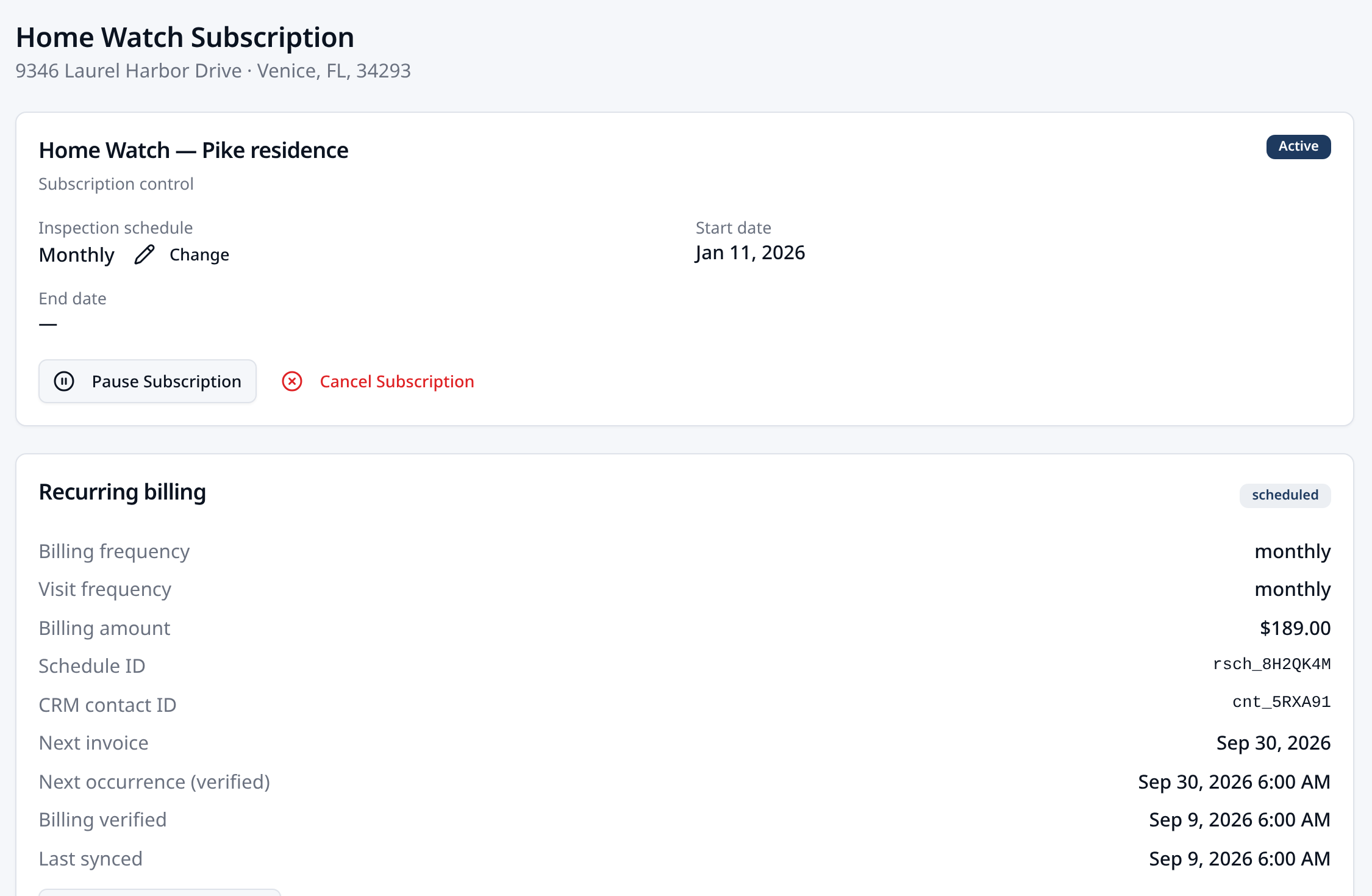
SquareOps can manage services that happen again and again—not just one-time inspections. Schedule recurring visits, manage the ongoing service relationship and keep the work alongside the rest of your operation.
- Recurring visits and scheduling
- Ongoing client relationships
- Repeat service workflows
- Recurring billing
Team Operations
Know what's happening across the team.
Coordinate office staff and inspectors with shared visibility into who is doing what, where and when — plus the operational records that feed compensation.
- Team members and roles
- Inspector scheduling and availability
- Payroll tracking
- Compensation workflows
- Mileage tracking
- Operational activity
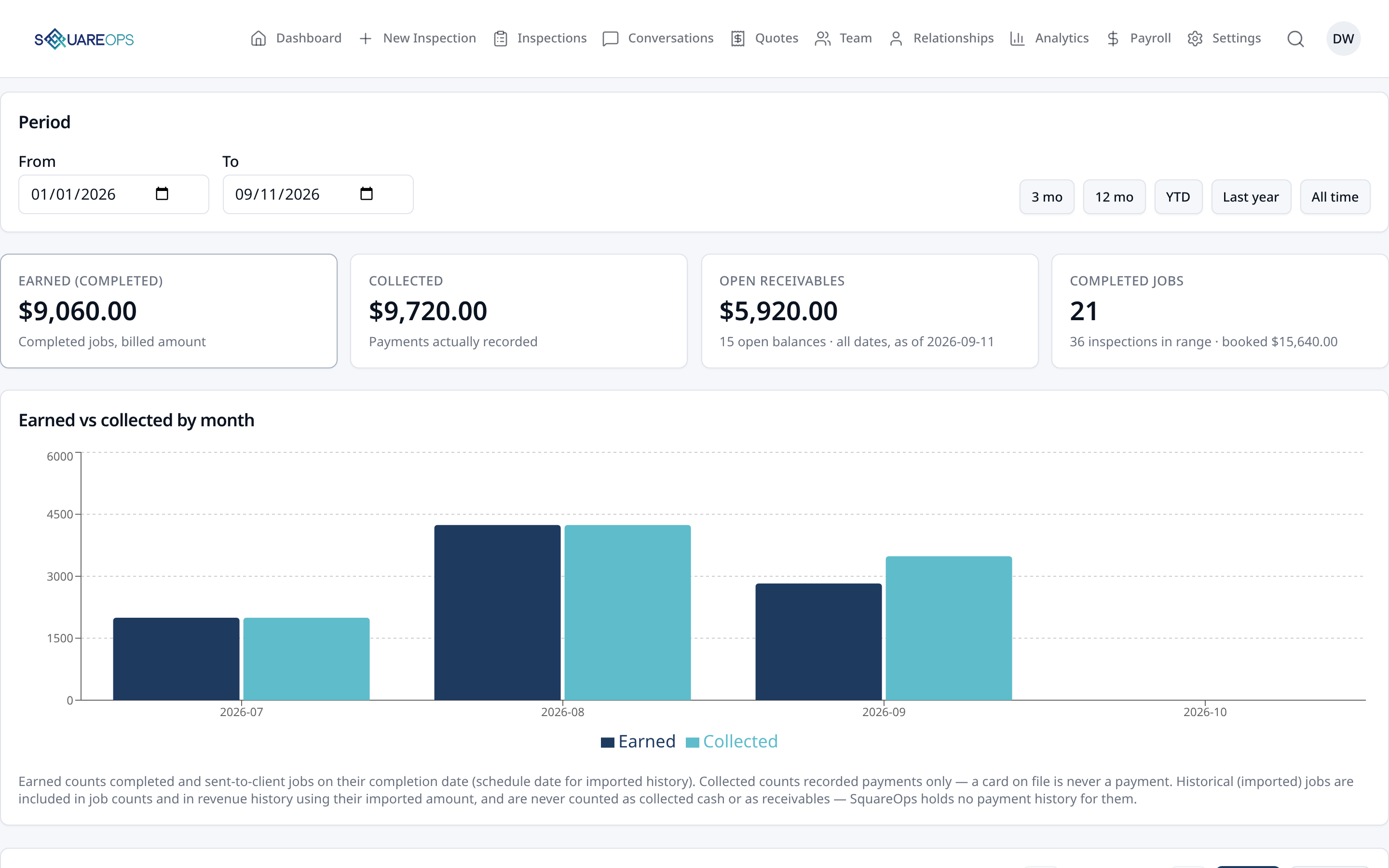
Analytics & Reporting
See the business behind the inspections.
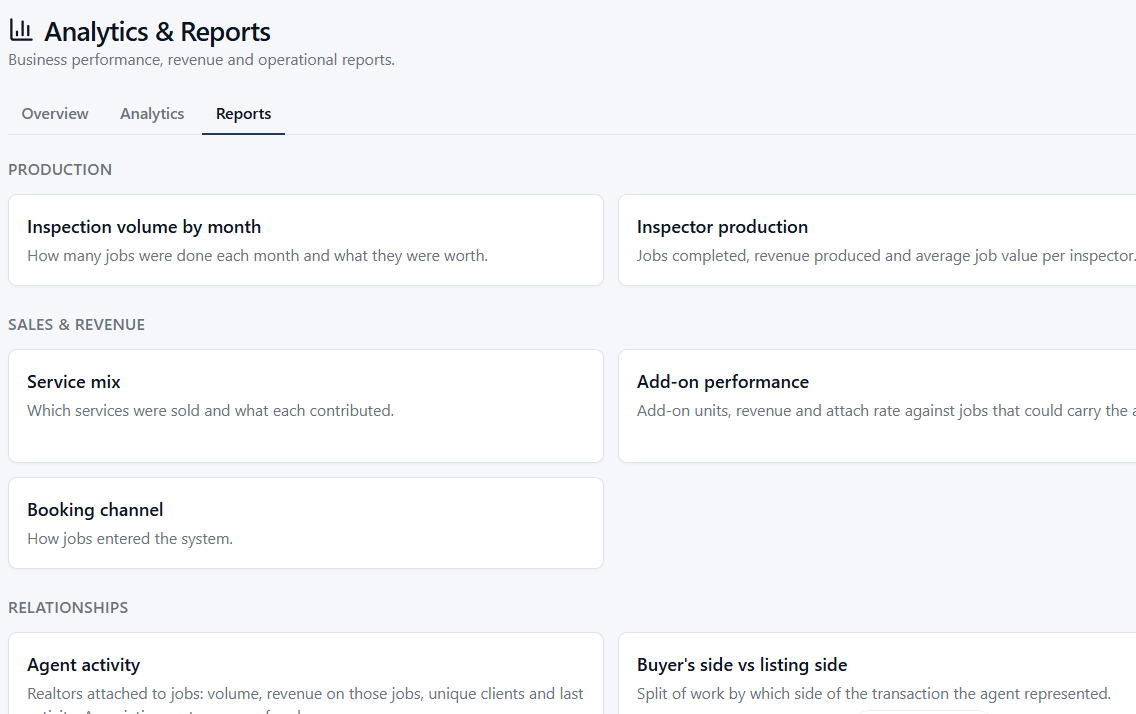
Operational reporting surfaces what's actually happening across the company — not just how many inspections were booked.
- Inspection activity
- Revenue
- Outstanding balances
- Service performance
- Contractor work
- Mileage
- Team and production information
- Business trends
Communications
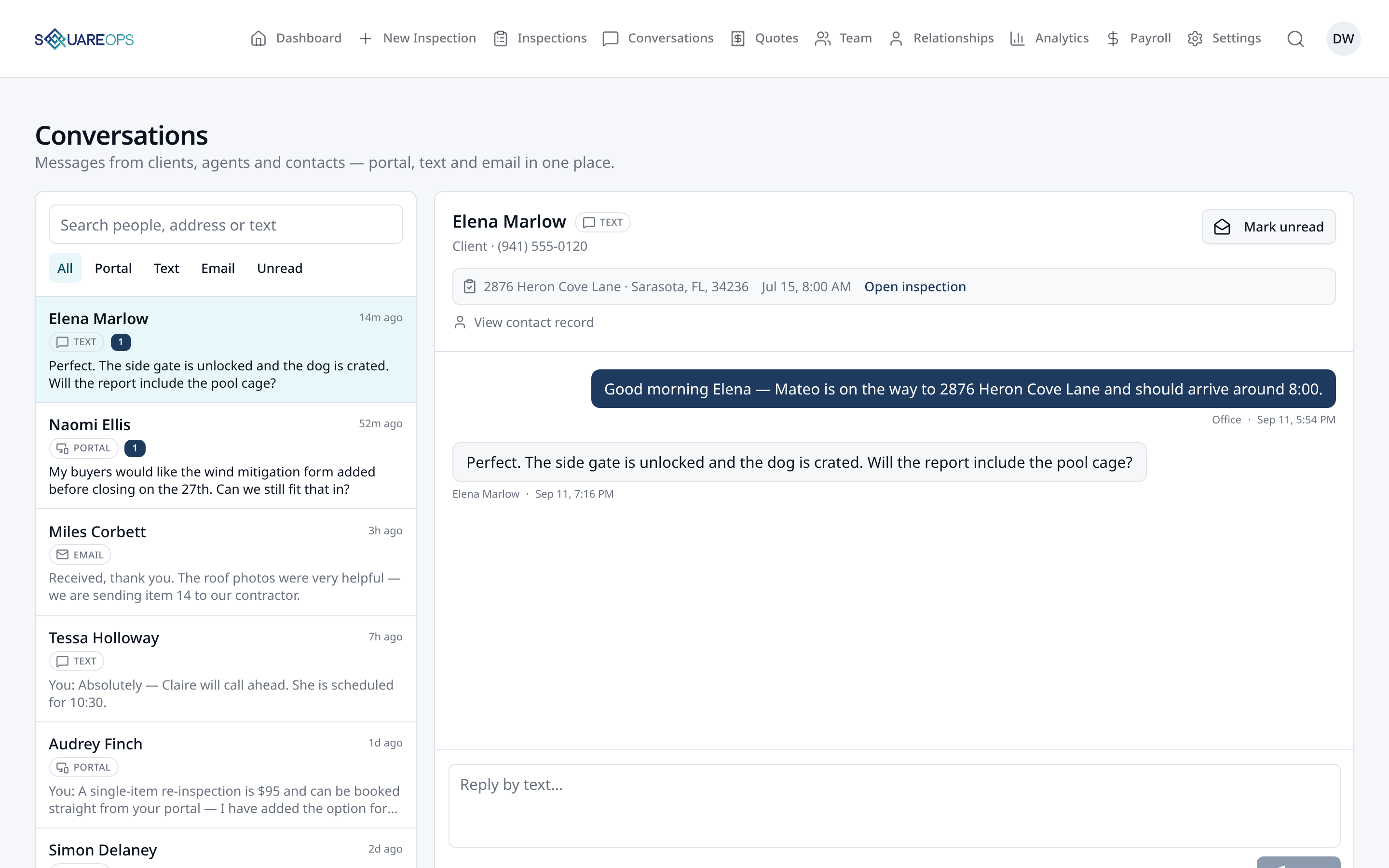
A place to keep in touch with everyone.
Not just text messaging — SquareOps gives the office, clients and agents a shared inbox for portal messaging, emails and text. Clients and agents can message you directly from their portal without needing an SMS plan.
- Direct portal messaging with clients and agents
- Unified conversation inbox for the office
- Inspection-linked message threads
- Operational email communications
- Optional two-way SMS texting add-on
- Agent inspection requests from the portal
Built for the work your company takes on.
From one-time inspections to ongoing property services, SquareOps gives you room to operate beyond a standard home inspection.
- Home Inspections
- Insurance Inspections
- New Construction
- Commercial Inspections
- Reinspections
- Home Watch
- Recurring Maintenance
- Pest Control Services
- Photo & Documentation Services
The office sees the operation. The inspector sees the job.
SquareOps gives each person the tools and information appropriate to their role — without making everyone navigate the entire back office.
You don't have to imagine how it fits. Try it.
Set up your company and run your first 5 inspections through SquareOps free.
No credit card required.